


Weather forecast
4.31.18K Reviews
App Specs
- Version
- Varies with Device
- Updated On
- License
- Free
- Downloads
- 5,000,000+
- Developer
- Accurate Weather Forecast & Weather Radar Map
- Categories
- Weather
- Platform
- Android, iOS
Screenshots
 Analysis by AppCompare
I judge a weather app by what happens between noticing the sky and deciding what to do next. A useful forecast should help me choose a coat, change a departure time, or decide whether to bring a plan indoors without making me dig through a maze of screens. Weather Forecast is built around that everyday check: current conditions, an hourly outlook, and a radar map, with optional notifications and more than one saved place.
A quick check before the day gets moving
My most practical use for it is a short morning routine. I look at the current conditions first, then scan the hours that matter to me rather than treating the whole day as one unchanging forecast. If I have a walk, commute, or errand planned later, that hourly view is more useful than a single high-and-low summary. It gives me a reason to adjust the timing of an outing instead of making a decision based only on what the weather is doing at the moment.
That distinction matters on unsettled days. A bright window in the morning does not tell me whether rain may affect the afternoon, and a wet pavement outside does not mean the whole day will stay that way. I use the hourly forecast as a planning aid, not a promise: it can help me spot a likely awkward period, but I still leave room for conditions to change. That is a sensible habit with any forecast app, especially when the cost of getting it wrong is more than a damp sleeve.
From the forecast to a decision
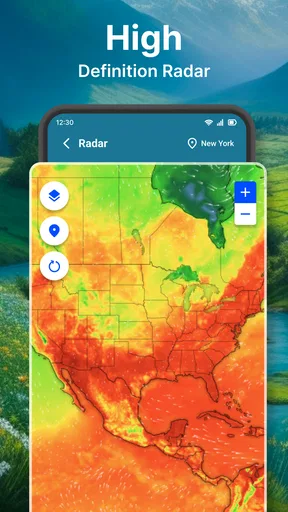
The app’s radar map gives me a second way to think about changing weather. Instead of only reading a forecast, I can look at the map, zoom in or out, and pan around to see the broader pattern. That is useful when I want context: whether weather appears to be approaching my area or whether the activity I can see is elsewhere. It turns a vague question—“Is this likely to reach me?”—into a more visual check.
I would not use a radar view as a guarantee about the exact minute rain will begin at my door. Maps are best treated as supporting evidence, not certainty, and the view can take a little interpretation if you are not used to reading weather patterns. My tip is to check the map alongside the hourly outlook rather than letting one dramatic patch of color make the decision for you. The two views answer different questions: the hourly forecast helps with timing, while radar helps me understand what may be moving around nearby.
When plans involve other places
Multiple locations make the app more useful for people whose day is not confined to one neighborhood. I can keep an eye on home and a destination, or check conditions where family members are, without having to replace my main location every time. That handoff is especially handy before travel: I can compare the weather where I am with the place I am heading and pack or dress with both in mind.
There is a trade-off, though. More saved places are only helpful if I can tell at a glance which one I am checking. If I am in a rush, I need to make location selection part of the routine rather than assume the screen is showing the destination I have in mind. I would keep the list focused on places I genuinely check, so a quick forecast stays quick instead of becoming a tour through old stops and occasional visits.
Worth Reading Before You Choose

Flipboard Shows What News Apps Must Do Beyond the Feed

Switching to Android Auto Means Rethinking Your Driving Routine

Google Calendar Makes a Crowded Week Easier to Manage

Ludo King Makes the Most of the Minutes Between Plans

Baby Panda World Brings Quick Play to Modern Phones, but Its Game Library Feels Busy

ESPN’s Live Game View Makes Following Close Games Easier
Notifications without surrendering the whole day
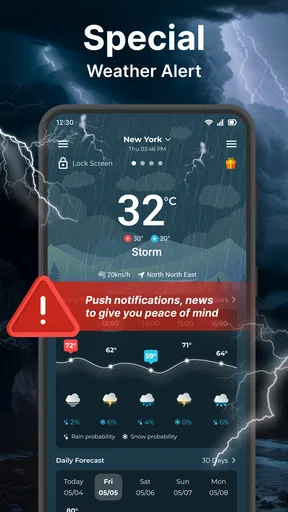
Custom notifications can reduce the need to open the app repeatedly, but I would choose them carefully. A weather alert is most useful when it changes what I should do; too many low-value interruptions can make me ignore the one message worth noticing. I prefer to treat notifications as a prompt to check conditions, not as a substitute for looking at the forecast before a specific outing.
For a practical setup, I would start with only the alerts that suit my routine, then adjust if they prove noisy or unhelpful. Someone who spends much of the day outdoors may want reminders more than someone who can change plans at short notice. The feature’s value depends less on switching everything on than on matching the interruption level to how much weather can affect your day.
First Impressions and Interface
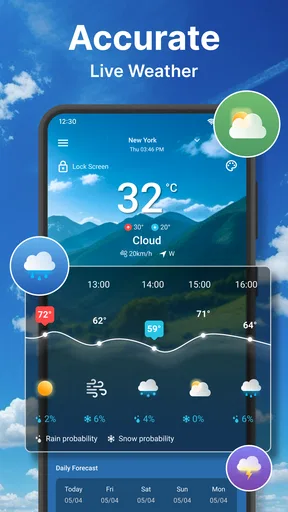
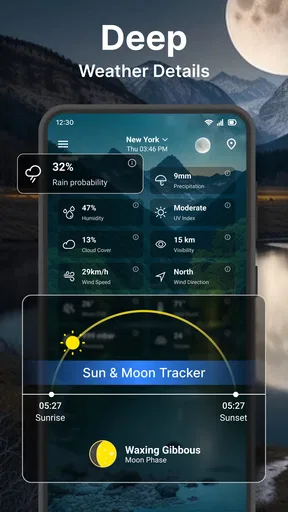
When you first open the Weather Forecast app, you’re greeted with a clean and intuitive interface. Seriously, it’s like a breath of fresh air compared to some of the cluttered screens I’ve seen in other apps. The main screen gives you a quick snapshot of the current weather conditions, along with a neat little forecast for the upcoming days. It’s colorful, but not in that overwhelming way—more like a gentle nudge to remind you it’s not all doom and gloom outside.
Features That Stand Out
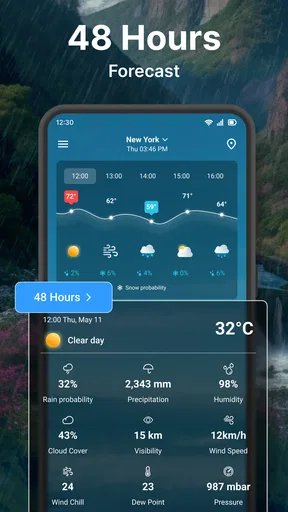
Now, let's dive into some of the features that really caught my eye. First up, the hourly forecast. This is a lifesaver when you’re trying to plan your day. I mean, who doesn’t want to know if they’ll need an umbrella for that afternoon coffee run? The app gives you an hour-by-hour breakdown, making it super easy to dodge those surprise rain showers.
Another cool feature is the radar map. It’s not just any radar; it’s detailed and interactive. You can zoom in and out, pan across the map, and basically feel like a mini meteorologist. It’s perfect for those moments when you’re curious about weather patterns moving through your area.
Customization and Alerts
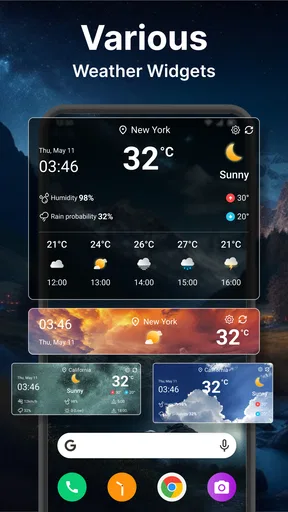
Personalization is key, and this app nails it. You can set custom notifications so you’re always in the loop about weather changes. Whether it’s a storm warning or just a drop in temperature, the app’s got you covered. Plus, the app lets you add multiple locations. This is perfect for keeping tabs on the weather where your loved ones are or if you travel frequently.
Performance and Reliability
Now, let’s talk performance. I’ve been using this app for a while, and it’s been pretty reliable. The updates are timely, and I haven’t noticed any significant lags or crashes. It seems to run smoothly whether I’m on Wi-Fi or mobile data. Honestly, it’s nice to have an app that doesn’t make me want to pull my hair out every time it freezes.
What it does well—and where to be cautious
The best fit is someone who wants a quick personal forecast with a little more context than a temperature number: an hourly view for timing, a map for visual orientation, and saved locations for places that matter. It is also a reasonable choice if you want a free weather app rather than a paid tool. The app is free, is rated for Everyone, and is published by Accurate Weather Forecast & Weather Radar Map. Its current version is 1.62.
Against the usual alternatives, this app’s appeal is the combination of a straightforward current-conditions screen with hourly planning and an interactive radar map. A built-in weather panel on a phone can be faster for a glance, while a dedicated forecasting service may be a better fit for someone who needs specialist meteorological detail or makes consequential decisions based on severe conditions. I see this app as a practical everyday companion, not a replacement for official local guidance when safety is at stake.
One useful habit is to check the forecast at the moment a decision is still flexible. Before leaving for a long walk, for example, I would compare the hourly view with the radar, then decide whether to go earlier, take rain protection, or choose a shorter route. If the map and the forecast seem to tell different stories, I would avoid treating either as exact and make the more cautious plan. That small workflow is more dependable than repeatedly refreshing the screen after I am already outdoors.
Who should choose another approach
If you want a highly specialized forecast for outdoor work, aviation, marine travel, or another activity where detailed technical information matters, I would look for a service designed specifically for that job. Likewise, someone who dislikes notifications should be selective about enabling them, and someone who only ever checks one location may not get much value from saved places. Those are not reasons to dismiss this app; they are signs that its everyday focus may not match every routine.
Weather Forecast has an average rating of 4.3 from around 35,000 ratings, and it has been installed over five million times. Those figures suggest that it has found a broad audience, but I would still judge it by whether its layout and forecast workflow suit my own habits. It was released on March 14, 2020, and its store category is weather. I would try it for ordinary planning, then keep another trusted source available for decisions where a forecast error could have serious consequences.
Final Thoughts
All in all, the Weather Forecast app is a fantastic tool for anyone who wants a reliable and user-friendly way to keep track of the weather. It’s packed with features that are actually useful, and it performs well across the board. If you’re in the market for a new weather app, give this one a shot. You might just find yourself checking the weather more often, even if it’s just for fun!
My recommendation is to use it as a quick decision-making tool: check current conditions, look ahead by the hour, and use radar when you need a wider picture. Keep saved locations tidy and notifications purposeful, and the app is more likely to help than distract. It has about 1,100 reviews alongside its ratings, but the best test is still a week of using it for the places and plans you actually care about. If you want an accessible, free way to make everyday weather checks less guesswork-heavy, I think it is worth trying; if you need specialist forecasting, choose a more focused service instead.
Pros
- Accurate real-time updates enhance planning.
- User-friendly interface simplifies navigation.
- Customizable alerts for severe weather.
- Multiple location tracking for travelers.
- Detailed hourly forecasts for precise planning.
Cons
- Ads may disrupt user experience.
- Some features require in-app purchases.
- Battery drain with continuous updates.
- Occasional lag in data during peak hours.
- Limited offline functionality.
FAQs for Weather forecast
How accurate is the weather forecast provided by the app?
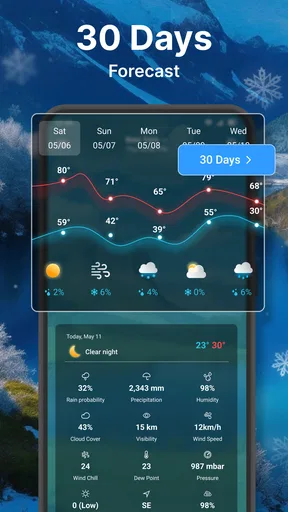
The weather forecast app uses advanced meteorological data and algorithms to offer highly accurate predictions. While short-term forecasts (up to 48 hours) are generally precise, longer-term predictions may vary due to changes in atmospheric conditions. The app frequently updates to ensure users have the most current information available.
Does the app provide weather alerts for severe conditions?
Yes, the app sends real-time alerts for severe weather conditions such as storms, heavy rainfall, or extreme temperatures. Users can customize notifications to receive updates relevant to their location and preferences, ensuring they stay informed and prepared for any adverse weather events.
Can I access weather forecasts for multiple locations?
Absolutely, the app allows users to add multiple locations and switch between them easily. This feature is particularly useful for travelers or those who want to keep track of weather conditions in different areas, such as a hometown and a vacation destination.
Is the app free to download and use?
The app offers a free version that includes basic features such as daily forecasts and standard notifications. However, for more advanced features like ad-free usage, extended forecast information, and premium weather alerts, a subscription or one-time purchase may be required.
Does the app work offline?
The app requires an internet connection to retrieve the latest weather data. However, it caches recent forecasts, allowing users to view them offline. This means you can still access the most recent updates even when not connected to the internet, although live updates will not be available.


